At a glance
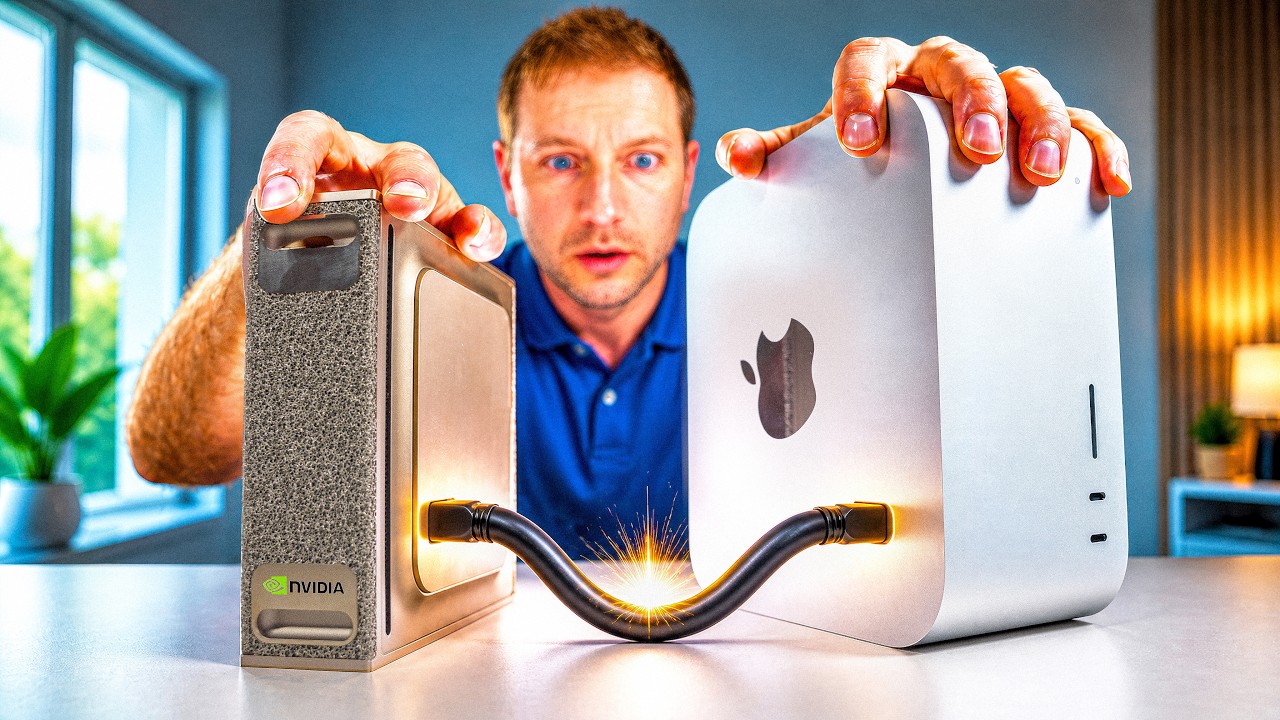
Jeff Geerling spends five minutes and forty seven seconds on a $699 laptop and lands on a claim that would have been laughable a year ago: an Intel chip has caught up to Apple Silicon on efficiency. The machine is the new Dell XPS 13, $699 retail and $599 for students and teachers, which is exactly Apple's current pricing on the MacBook Neo. Jeff's read is that this laptop would not exist if Apple had not shipped the Neo back in March, and that Dell's play was to look at it and say "what if we do that, just do everything a little bit better."
Mostly they did. The display is matte, higher resolution, touch, 120 hertz with variable refresh. The keyboard matches Apple's in the field and is backlit. There are two 10 gigabit USB ports instead of Apple's one that tops out at USB 2 speeds, and both of Dell's can drive a display. The 512 gig SSD doubles Apple's base storage, it is faster, and you can pop it out and replace it. Then there are the losses: weaker speakers, no headphone jack at all, audible fans, Windows as the only officially supported operating system, and an integrated GPU that Jeff describes as unable to hold a candle to Apple's A19.
The headline is buried in the benchmark section. On the Top 500 supercomputing benchmark, a test that hammers the CPU as hard as possible and fills the memory, this Core i5 throttles down after ten seconds to settle at 20 watts and still beats every other x86 chip Jeff has ever tested for compute efficiency. He then re-ran the whole suite on just the four e-cores, and again on just the performance cores, and each set on its own still landed among the most efficient computers he has measured, ahead of most Apple Silicon Macs. Idle draw matches Apple at under a watt with the display off. This is that video rebuilt in order, with every number he put on screen.
The setup: Dell's answer to the Neo
The framing arrives in the first sentence. This is Dell's response to the MacBook Neo. It has a new Intel chip that actually caught up to Apple Silicon in efficiency. Jeff is careful to call it "not a total victory," which turns out to be the honest description once the GPU numbers arrive, but the efficiency claim is the reason the video exists.
The price is the anchor. $699, or $599 for students and teachers, which matches Apple's current Neo pricing. That number does a lot of work in this review, because the question Jeff actually cares about is not "is this as good as a MacBook." It is: is this any better than the stripped down, plasticky, Chromebook style laptops other PC manufacturers have sold at this price point in the past?
The answer to that is yes. Not perfect. But then, as he points out, neither was the Neo. His verdict on the shape of the thing is that Dell is having their MacBook Neo moment, and the biggest letdown is only officially supporting Windows. More on Linux shortly.
Before anything else, the disclosure, and Jeff makes it unambiguous. The laptop is on loan from Dell. He is sending it back. They have no control over what he is saying. He did not buy it. That is stated on camera at roughly the forty second mark rather than buried in a description, which is the correct way to do it.
Do everything the Neo does, one notch better
This is the section where Dell's strategy becomes visible. Jeff walks feature by feature, and the pattern is that Dell looked at each Neo decision and nudged it.
The display. More matte finish than the Neo. More resolution. It is a touchscreen, which the Neo is not. And it runs at 120 hertz with variable refresh rate. Four upgrades on one panel, at the same price tier.
The keyboard. About on par with Apple's in the field, which from Jeff is a real compliment, and it is backlit. Apple's is not, at this price.
The trackpad. Here Dell loses. It uses the old style hinged design, which means you cannot click along the top of the pad, only lower down where the hinge gives. Jeff still calls it overall a pretty good trackpad, but this is the one place in the hardware tour where the Neo simply wins.
The ports. Two 10 gigabit USB ports. The Neo, by contrast, has one port that is only USB 2 at 480 megabits. That is a gap of roughly twenty times on paper, and it comes with a second advantage: both of Dell's ports can do display output. On a laptop meant to sit on a desk half the time, that is the difference between a docking setup and a compromise.
Repairability and storage. Repairs are pretty easy on both machines, so that one is a draw. But unlike the Neo, the XPS gets upgradeable storage. There is a 512 gig SSD in it, double Apple's base storage, and it is faster. And Jeff upgrades it on camera, which becomes load bearing later when he wants Linux on the machine without destroying Dell's install.
The things that are worse
Jeff does not let the good column run unchallenged.
Speakers. A bit lacking compared to the Neo. He plays a clip so you can hear it. He notes they might sound a little better under Windows EQ, which is a polite way of saying the tuning is doing some lifting.
No headphone jack. This is the one that visibly annoys him, and his reasoning is worth quoting nearly in full: laptops are one device, especially cheap ones that you might see in schools, and there is just no excuse to not have a headphone jack. A $699 school laptop with no analog audio out is a decision someone will regret in a classroom.
Fans. A mixed blessing, in his words. They let the CPU run faster when you are doing a lot of work for a long time, which is a genuine advantage over a fanless design, but they are definitely audible.
Windows being Windows. The detail here is specific and damning. The computer had been sitting idle for a couple of hours when Windows decided to start running background updates. And when he started recording the video, it popped up an ad for Xbox. That was a little while after it had nagged him to set up OneDrive. On a machine whose entire pitch is efficiency and quiet, the operating system spent the review period spinning the fans up for its own purposes and selling him things.
Windows only, officially. The biggest letdown, and Jeff is even handed about it: just like the Neo only supports macOS natively, the XPS 13 only supports Windows natively. Neither vendor is offering you a second option out of the box.
| Feature | Dell XPS 13 ($699) | MacBook Neo ($699) |
|---|---|---|
| Price | $699, $599 students and teachers | Matched by Dell on purpose tie |
| Display | More matte, more resolution, touch, 120 Hz variable refresh Dell | Non touch, lower resolution |
| Keyboard | On par with Apple, and backlit Dell | On par, not backlit |
| Trackpad | Old style hinged, cannot click along the top Apple | The Neo's standout charm |
| Ports | Two 10 Gb USB, both do display out Dell | One port, USB 2 at 480 Mb |
| Storage | 512 GB, faster, user upgradeable Dell | Half the base capacity, not upgradeable |
| Repairability | Pretty easy tie | Pretty easy |
| Speakers | A bit lacking Apple | Better |
| Headphone jack | None at all Apple | Present |
| Cooling | Fans, audible, allow sustained clocks | Not covered in this video |
| Official OS | Windows only tie, badly | macOS only |
| Linux | Works fully on a cutting edge release Dell | Not an option |
| GPU | Core i5 iGPU, way behind Apple | A19, nearly double on Gravity Mark |
| CPU efficiency | Beats every x86 Jeff has tested, and most Apple Silicon Macs Dell | Apple Silicon, still excellent |
| Idle power | Under 1 W display off, about 4 W at half brightness tie | Matches |
| Wi-Fi | Wi-Fi 7, a few watts at 1 Gb tie | Matches |
Linux on the XPS 13
Full support for almost all the hardware is finally in Linux, with one condition attached: you need a cutting edge release. Jeff installed Fedora 44.
The out of box experience is not clean. Initially you are missing sound, Wi-Fi, and a few other features. The fix is unglamorous and familiar to anyone who has put Linux on new hardware: plug in a USB Ethernet adapter so you have a network without Wi-Fi drivers, run updates, and let the newer kernel and firmware land. After that, he had all the hardware working.
That is a nineteen second chapter in the video and a genuinely important result. A brand new Intel laptop reaching full hardware support on a current Fedora, needing nothing but a wired connection and an update pass, is not the historical norm.
Not all fun and games: the GPU
Once Linux was working, that is when the fun began. Not games, mind you.
The biggest letdown with the Intel Core i5 in this machine is the built in iGPU. Jeff's line is that it cannot hold a candle to Apple's A19. He backs it with two pieces of evidence.
First, a real game. Running Halo Reach under Proton, an older title on Valve's Windows compatibility layer, he had to bump settings way down to 720p before it stopped being choppy. That is not a demanding modern title. That is a 2010 game running through a translation layer at sub 1080p to stay smooth.
Second, the benchmark sweep. Every GPU benchmark he ran put the Dell way behind the Mac. Apple, in his words, has some serious GPU horsepower in their mobile chips. The single worst showing was Gravity Mark, which is almost entirely GPU bound and therefore the cleanest read on raw graphics throughput available in his suite. There, the Mac almost doubled Dell's score.
Intel efficiency: the part that surprised him
Then the other benchmarks ran, and the video turns.
The test that matters is the Top 500 supercomputing benchmark, the same class of workload used to rank the fastest machines on earth. Jeff's summary of what it does to a laptop: it hammers the CPU as hard as possible and also fills up the memory. On this machine that is a genuine squeeze, because there are only 8 gigs of RAM. And the CPU does not hold its boost clocks. It throttles down after ten seconds to settle in at 20 watts.
None of that stopped the result. His words: "I don't know what changed at Intel. Apparently, they started caring about efficiency, because this laptop crushes every other x86 chip I've ever tested for compute efficiency."
That is a claim about compute per watt, not compute, and it is measured against a personal benchmark corpus that spans years of x86 machines. But he did not stop at the default configuration. He re-ran all his tests on just the four e-cores, the ones meant to sip power on background tasks. Then he re-ran them on just the performance cores. And even with those two sets of cores taken separately, this laptop is one of the most efficient computers he has ever tested, beating most of Apple's Apple Silicon Macs.
That last sentence is the whole video. Not "competitive with," not "close to." Ahead of most Apple Silicon Macs on compute efficiency, in two different core configurations, on a $699 machine.
His practical translation is short: that means all day battery, at least if you are not running benchmarks all day.
What he is actually excited about is not this laptop. It is the extrapolation. If Intel can make a follow up to their N100 chips using these newer efficiency cores, that changes the low end of computing. His assessment of those cores: they are pretty much as efficient as ARM cores now, and they are on par with Apple's M series, at least on the low end, and at least in the benchmarks he has been running. That is a carefully hedged sentence and the hedges are all real, but the direction is unmistakable. The N100 is the chip behind a generation of cheap mini PCs, thin clients, and home lab boxes. An N100 successor with these cores would be a very different device.
Then the power numbers, which are the quiet proof.
- Idle draw is under a watt with the display turned off, which he explicitly frames as matching Apple.
- With the display at half brightness it is about the same at 4 watts. The panel is most of the budget, which is the normal shape for an efficient machine.
- Wi-Fi 7 is also power efficient, with the laptop using only a few watts to hit 1 gigabit of transfer speeds. Again, matching the Neo.
Still a budget laptop
Jeff refuses to let the efficiency result oversell the machine, and the reason he gives is the important one. Part of the reason it is so efficient is because it clocks down a lot to save power. That is the honest asterisk on every efficiency win: performance per watt goes up when you give up peak performance, and a chip that aggressively drops clocks will look excellent on a compute per watt chart while feeling slower in the hand.
His position is that this is fine, and specifically that it is great for a laptop. Outside of what he calls the pathetic GPU performance, he does not have any real gripes for the price you are paying.
The thing that pushes him over into a recommendation is not a spec. It is the swap. The fact that he could pop out the drive Dell shipped, put in his own, and install Linux on it, that is what makes the machine more valuable than its parts. He says outright that he wishes he could install Linux on the Neo.
The argument he closes on is a longevity argument, and it is the most durable thing in the video. Even without some of Apple's little efficiency tweaks, Linux gives him the ability to use the computer in many more ways, and it extends the life almost indefinitely. Long after Apple and Microsoft drop support for both of these laptops, Linux is going to carry on. A $699 machine you can still boot and patch in 2036 is a different value proposition than a $699 machine whose vendor decides when it dies.
So the verdict: for that alone, not to mention the backlit keyboard, better display, upgradeable SSD, and dual 10 gigabit USB ports, he can recommend this XPS 13 to anyone looking for a budget computer in the $700 range. It is not perfect. The Neo still has some charms, especially that nice trackpad and the snappy GPU. But the XPS 13 is honestly better than he expected coming into it.
Where it stands
A few things worth holding alongside the headline, none of which Jeff hides.
The efficiency claim is scoped, and the scope is the interesting part. "Matched Apple Silicon" here means compute per watt on the Top 500 benchmark, plus idle draw, plus Wi-Fi transfer efficiency. It explicitly does not mean GPU, where the A19 nearly doubles the Core i5 on the most GPU bound test in the suite. A reader who takes "Intel matched Apple Silicon" as a general statement will be surprised by that laptop.
It is one sample, on loan, measured by one reviewer. Jeff discloses the loan on camera and publishes his raw benchmark data in the open, which is more than most reviews offer: the XPS 13 numbers live in issue 111 and the MacBook Neo numbers in issue 102 of his sbc-reviews repository. That is the place to go if you want the actual scores behind the ratios in this video.
8 gigabytes of RAM is the constraint the video mentions once and moves past. It matters for the benchmark, where the test deliberately fills memory, and it matters more for anyone planning to run this as a daily machine with a browser and an IDE open.
Linux works, but on a cutting edge release. Fedora 44 with updates applied, plus a USB Ethernet adapter to bootstrap networking before the Wi-Fi driver arrives. That is a mild requirement for this audience and a real barrier for a school district.
Key takeaways
- The Dell XPS 13 at $699, or $599 for students and teachers, deliberately matches MacBook Neo pricing, and Jeff's read is that it exists because Apple shipped the Neo in March.
- Dell out specs the Neo where it costs money: matte 120 hertz variable refresh touchscreen at higher resolution, a backlit keyboard, two 10 gigabit USB ports that both drive displays against Apple's single 480 megabit USB 2 port, and a 512 gig SSD that is double the base capacity, faster, and user replaceable.
- It loses on speakers, has no headphone jack at all, has audible fans, and ships with Windows as its only officially supported operating system, complete with an Xbox ad and a OneDrive nag during the review.
- The GPU is the real weakness. Halo Reach under Proton needed 720p and reduced settings to stop being choppy, every GPU benchmark put the Dell well behind the Mac, and on the almost entirely GPU bound Gravity Mark the Mac nearly doubled the Dell's score.
- On the Top 500 supercomputing benchmark the Core i5 throttles after ten seconds to settle at 20 watts and still beats every other x86 chip in Jeff's benchmark corpus for compute efficiency.
- Re-running the suite on just the four e-cores, and separately on just the performance cores, each configuration still landed among the most efficient computers he has tested, ahead of most Apple Silicon Macs.
- Idle draw is under a watt with the display off and about 4 watts at half brightness, matching Apple, and Wi-Fi 7 sustains 1 gigabit for a few watts.
- The efficiency comes partly from clocking down aggressively, which Jeff names as the tradeoff rather than glossing over it.
- Full hardware support on Fedora 44 after a USB Ethernet adapter and an update pass, which is what makes the machine recommendable: Linux will outlive both Dell's and Apple's support windows.
- The thing Jeff actually wants out of this is an N100 successor built on these efficiency cores, which he says are about as efficient as ARM cores and on par with Apple's M series at the low end.
Chapters
- 0:00 XPS 13
- 0:49 Improvements over the Neo
- 1:35 Some things are worse
- 2:33 Linux on the XPS 13
- 2:52 Not all fun and games
- 3:23 Intel efficiency
- 4:43 Still a budget laptop
Notable quotes
"This is Dell's response to the MacBook Neo. It has a new Intel chip that actually caught up to Apple silicon in efficiency. It's not a total victory, but I've been testing this new $699 XPS 13, which is $599 for students and teachers, matching Apple's current Neo pricing." Jeff Geerling, 0:00
"But I don't think this would exist if Apple hadn't launched the Neo back in March." Jeff Geerling, 0:14
"Before we get started, this laptop is on loan from Dell. I'm sending it back to them, and they have no control over what I'm saying. I just wanted to be clear that I didn't buy this. It's a loaner." Jeff Geerling, 0:40
"In many ways, I think Dell saw the Neo and said, 'What if we do that? Just do everything a little bit better.'" Jeff Geerling, 0:52
"The thing that puzzles me most is why didn't Dell include a headphone jack? Laptops are one device, especially like cheap ones that you might see in schools, there's just no excuse to not have a headphone jack on here." Jeff Geerling, 1:47
"When I started recording this, it popped up this ad for Xbox. That was just a little while after it nagged me to set up OneDrive." Jeff Geerling, 2:20
"Once I got Linux working, that's when the fun began. N- Not games, mind you." Jeff Geerling, 2:50
"I think the biggest letdown with the Intel Core i5 chip in here is the built-in iGPU. It can't hold a candle to Apple's A19." Jeff Geerling, 2:55
"I don't know what changed at Intel. Apparently, they started caring about efficiency, because this laptop crushes every other x86 chip I've ever tested for compute efficiency." Jeff Geerling, 3:52
"Even with just those two sets of cores separately, this laptop is one of the most efficient computers I've ever tested, even beating most of Apple's Apple Silicon Macs." Jeff Geerling, 4:07
"They're pretty much as efficient as ARM cores now, and they're on par with Apple's M-series, at least on the low end, and at least in the benchmarks I've been running." Jeff Geerling, 4:22
"Part of the reason it's so efficient is because it clocks down a lot to save power." Jeff Geerling, 4:48
"Long after Apple and Microsoft drop support for both of these laptops, Linux is going to carry on." Jeff Geerling, 5:15
Resources mentioned
The hardware
- Dell XPS 13 (the reviewed configuration), $699, $599 for students and teachers, on loan from Dell for this review.
- Apple MacBook Neo, the March release this laptop is an answer to, and the comparison point for every number in the video.
- Intel N100, the low power chip Jeff wants a successor to, built with these newer efficiency cores.
The benchmark data
- Jeff's XPS 13 benchmark data, sbc-reviews issue 111, the raw numbers behind this video.
- Jeff's MacBook Neo benchmark data, sbc-reviews issue 102, the other half of every comparison here.
- geerlingguy/sbc-reviews, the public repository where the whole benchmark corpus lives.
- Top 500, the supercomputing benchmark used for the compute efficiency test.
- Gravity Mark, the almost entirely GPU bound benchmark where the Mac nearly doubled the Dell.
Software
- Fedora, Fedora 44 is the release that got every piece of hardware working after updates.
- Proton, Valve's compatibility layer used to run Halo Reach on Linux.
- Halo Reach, the game that needed 720p and reduced settings to stay smooth.
Jeff Geerling
- Jeff Geerling on YouTube, the main channel.
- Geerling Engineering, his second channel.
- Level 2 Jeff, his third channel.
- Support on Patreon
- Sponsor on GitHub
- Red Shirt Jeff merch